


Mullvad VPN
4.1868.00 Reviews
App Specs
- Version
- 2026.8
- Updated On
- License
- Free
- Downloads
- 5,000,000+
- Developer
- Mullvad VPN AB
- Categories
- Tools
- Platform
- Android
Screenshots

 Analysis by AppCompare
I judge a VPN less by bold promises than by the choices it puts in front of me. Mullvad VPN is a privacy-focused tool from Mullvad VPN AB, and its account setup is designed to avoid asking for an email address. That makes its approach feel distinct from services that begin by building a conventional profile around your inbox. Still, privacy is not a switch that makes every online activity anonymous, so I think it’s worth looking closely at what the app does, what decisions it leaves to you, and where another kind of tool may suit you better.
How Mullvad Fits Into Everyday Privacy
On Android, Mullvad sits in the tools category and is free to install, with in-app purchases shown from $5.99 to $17.97 per item. The app is rated for Everyone, and its current version is 2026.2. It has a 4.3 average from around 7,300 ratings, with over 1 million installs. Those figures suggest it has found a substantial audience, but they don’t tell me whether a VPN fits a particular person’s needs; the useful question is how it behaves in your routine.
The first point I’d keep in mind is the difference between a VPN and a complete privacy solution. A VPN routes your internet traffic through a VPN connection, which can be useful on networks you don’t control and can change the network location websites see. It doesn’t make you invisible to every site, remove account tracking, or protect you from unsafe links and downloads. I’d treat it as one layer in a sensible setup, alongside careful app permissions, strong account security, and good browsing habits.
Account Setup and Trust
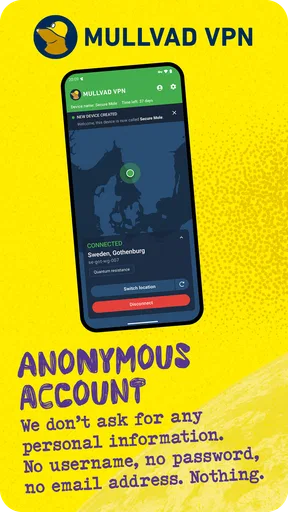
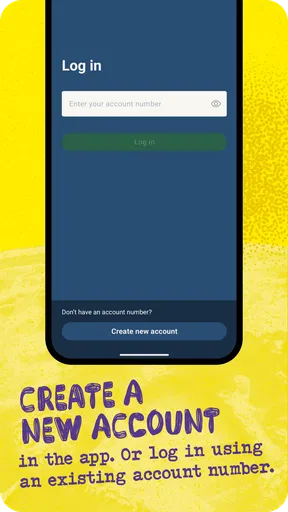
What stands out in the published account approach is that you don’t need to provide an email address to create an account: you receive a randomly generated account number instead. I like that this avoids tying access to an inbox, especially for someone who prefers not to hand over extra identifying details just to try a VPN. It also changes the recovery trade-off. If you use an account number rather than an email-based login, you should take responsibility for keeping the account details available and secure; a separate inbox is not there as an obvious fallback.
That is a meaningful user choice, not proof that every part of using a VPN is private by default. I would still read the app’s current permission prompts and privacy information before deciding what I’m comfortable with. On any phone, permissions are a concrete place to check what an app is asking to access; I wouldn’t grant something just because a service has a privacy-minded reputation. Similarly, a VPN protects the connection path it handles, not the information you deliberately share with a website or service after signing in.
Connecting Without Losing Sight of Control
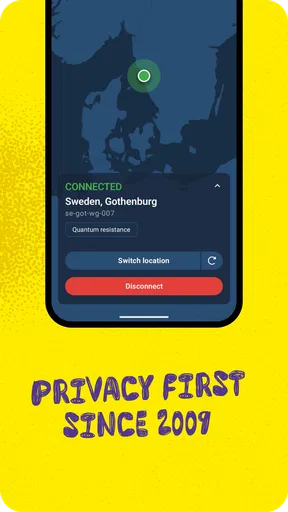
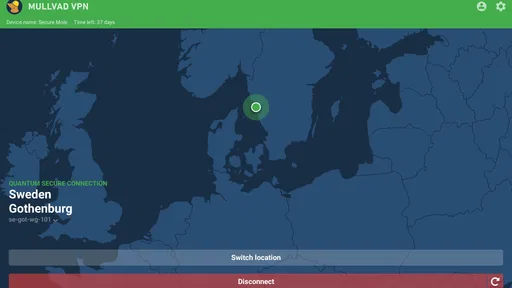
The main appeal for everyday use is the straightforward connection flow. If I’m moving between home Wi-Fi, mobile data, and a public network, I want the VPN action to be easy to find and easy to understand. A simple interface can help prevent the common mistake of assuming I’m protected when I never actually connected. My practical habit would be to check the app’s connection state after changing networks, rather than relying on memory or assuming a previous session carries on exactly as expected.
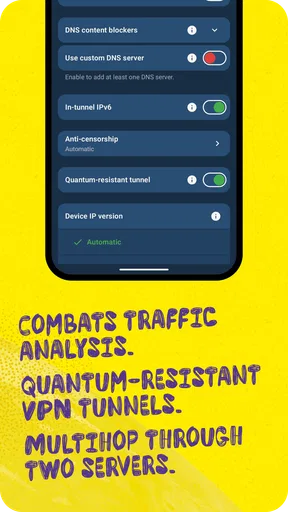
There is a useful distinction between choosing a VPN connection and choosing what to do when that connection is unavailable. A protective setting that blocks ordinary internet access when the VPN drops can reduce the chance of traffic continuing outside the tunnel, but it can also make a temporary connection problem feel like the whole phone has gone offline. Before relying on that kind of protection, I’d test the behavior somewhere low-stakes and learn how to restore normal access. That small bit of preparation matters more than toggling every advanced option on at once.
Worth Reading Before You Choose

Flipboard Shows What News Apps Must Do Beyond the Feed

Switching to Android Auto Means Rethinking Your Driving Routine

Google Calendar Makes a Crowded Week Easier to Manage

Ludo King Makes the Most of the Minutes Between Plans

Baby Panda World Brings Quick Play to Modern Phones, but Its Game Library Feels Busy

ESPN’s Live Game View Makes Following Close Games Easier
When the VPN Matters Most
Consider a routine stop at a café: I connect to its Wi-Fi to check a travel booking, then switch to mobile data while walking to the station. This is exactly the sort of transition where I’d want to confirm the VPN is still connected before handling anything sensitive. I would also avoid treating the VPN as permission to ignore the site itself. A booking account still needs a strong, unique password, and a payment page should still be the legitimate one I intended to visit.
At home, the calculation is different. If I’m already on a network I trust, I may care more about a particular site or service’s account protections than about routing every connection through a VPN. A VPN can still be useful for a consistent connection or for network-location needs, but it may add little to a task where the main concern is what I share with a logged-in service. The most useful question is not “Should I leave it on all the time?” but “What risk am I trying to reduce in this moment, and what inconvenience am I willing to accept?”
Travel introduces another practical check: a VPN does not guarantee that a streaming service, bank, or other website will behave as if you were at home. Services may make their own location decisions, and access can vary. I wouldn’t buy a VPN solely on the assumption that it will unlock a particular catalogue or bypass every restriction. If location-based access is your main reason for installing one, check the relevant service’s rules and be prepared for the result to differ from your expectations.
Privacy Choices and Everyday Trade-Offs
The no-email account approach may appeal to people who want fewer identity details attached to a VPN account. In exchange, it asks for a little more care from the user: keep the account number somewhere secure, avoid sharing it casually, and make sure you understand how account access works before changing devices. That’s a concrete trade-off, not a reason to assume setup will be effortless in every circumstance.
I also wouldn’t equate a VPN connection with total anonymity. Websites can still recognize you when you sign in, and cookies or other app-level identifiers can still connect activity to an account. If I’m trying to reduce tracking, I’d pair a VPN with sensible browser privacy settings and fewer unnecessary logins. The VPN addresses a different part of the picture: the route between the device and the internet. Keeping those roles separate helps set realistic expectations.
Battery use, connection reliability, and access to local services are worth observing in your own routine rather than guessing from a general claim. If an app’s connection affects a particular work tool, smart-home service, or local website, I’d test that before making the VPN permanent. When something stops working, first check whether disconnecting temporarily resolves it; that can help distinguish a VPN-related routing issue from a problem with the service itself. I would reconnect as soon as the task allows if privacy on the network is still the priority.
Who Should Choose It—and Who Might Not
I see Mullvad as a good fit for someone who wants a dedicated VPN app, values an account setup that doesn’t require an email address, and is willing to manage a less conventional account credential carefully. It may also suit people who prefer a focused tool over a broader security suite with lots of extra panels and bundled services. If your goal is simply to secure traffic on networks you don’t control, a VPN can be a practical layer, provided you understand what it does and keep an eye on its connection state.
I’d hesitate to recommend it to someone who expects a VPN to stop all tracking, make every website anonymous, or guarantee access to every region-restricted service. It may also be a poor fit if you want account recovery to work through a familiar email flow or if you don’t want to troubleshoot an occasional connection or compatibility issue. In those cases, a VPN with a recovery process or support options that better match your habits—or no VPN for a task that doesn’t need one—may be the more comfortable choice.
Compared with the usual alternatives, the decision is less about which app has the flashiest interface and more about what you value: a conventional account tied to an inbox, a service bundled with other security features, or a focused VPN with a privacy-conscious account choice. I wouldn’t assume those models are interchangeable. Before choosing, compare the account controls, the available connection settings, how clearly the app communicates its state, and whether the service fits your actual use case. A long feature list is not automatically an advantage if it makes a simple connection harder to manage.
A Careful Way to Start
If you install it, I’d begin with a small, repeatable test: connect on a familiar network, confirm the app shows an active VPN connection, browse a few ordinary sites, and then switch between Wi-Fi and mobile data. Notice whether your important apps continue to work and whether the VPN reconnects in a way you understand. Try any setting that blocks traffic when the VPN is unavailable only when you have time to handle a disruption, not just before an urgent call or payment.
Before travelling, I’d also make sure I can access the account details I need without relying on memory. That is especially relevant when the account system doesn’t depend on an email address. Keep the credential somewhere protected, and avoid putting it in a note that is itself easy to access from a shared or unlocked device. These small habits make a privacy-focused setup more dependable without pretending that any one app can take care of every security decision.
Why Mullvad Caught My Eye
First off, Mullvad VPN is all about privacy. And I mean, seriously. These guys don’t even require an email address to sign up. You get a randomly generated account number, and that’s it. Talk about keeping it low-key! In a world where everyone wants your data, Mullvad’s approach is refreshingly different.
Setting It Up
Installing Mullvad is a breeze. I hopped over to their website, and within minutes, I had it up and running on my phone. They’ve got apps for both Android and iOS, so no one’s left out in the cold. The interface is clean and straightforward, which is great if you’re not into fiddling with a bunch of settings. It’s pretty much plug and play.
Performance and Speed
Now, let’s talk about speed because, let’s be honest, no one wants a VPN that slows them down to a crawl. Mullvad didn’t disappoint. I streamed videos, did some light gaming, and browsed the web without any noticeable lag. It’s like the thing wasn’t even there, which is exactly what you want from a VPN.
They’ve got servers all over the place, so whether you’re trying to access content from another region or just keep things secure, they’ve got you covered. Plus, the connection was stable, and I didn’t experience any random disconnects, which is always a win in my book.
Security Features
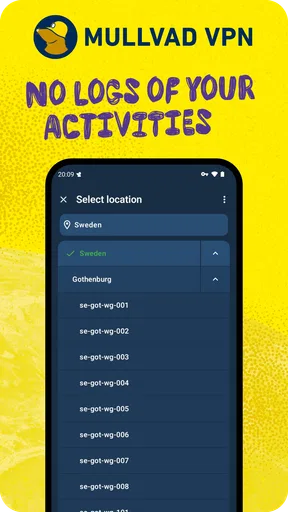
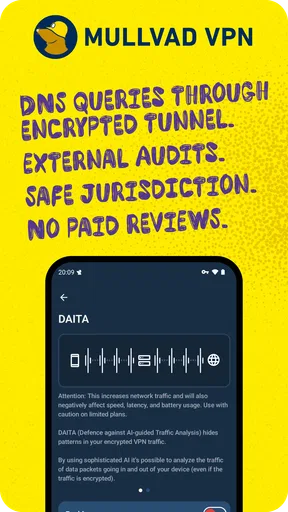
Alright, onto the nitty-gritty of security. Mullvad uses top-notch encryption, and it supports OpenVPN, WireGuard, and a few other protocols. What does this mean for you? Well, it means your data is locked down tight. They also have a no-logs policy, so even if someone tried, there’d be nothing to find. It’s like a digital invisibility cloak.
There’s also a kill switch feature, which is like a safety net for your connection. If the VPN drops for any reason, it’ll cut off your internet connection to keep your IP address safe. It’s those little touches that really make a difference.
Pricing
Here’s the deal: Mullvad is straightforward with their pricing. It’s €5 per month, whether you’re in it for the long haul or just testing the waters. No confusing tiers, no upselling, just one flat rate. It’s kind of refreshing, to be honest. Plus, they accept a bunch of payment methods, including Bitcoin, for those who are extra privacy-conscious.
User Experience
Using Mullvad has been a smooth experience overall. The app doesn’t bombard you with notifications, and connecting to a server is quick and easy. If you’re not super tech-savvy, you’ll appreciate how user-friendly it is. But if you like to tinker, there’s enough under the hood to keep you busy.
Let’s not forget their customer support. I had a couple of questions, and their team was quick to respond and super helpful. It’s nice knowing you’re not left in the dark if you hit a snag.
Final Thoughts
So, after spending some time with Mullvad, I’ve got to say it’s a solid choice for anyone who values privacy and ease of use. It’s secure, fast, and doesn’t try to be something it’s not. Plus, the whole no-logs and no-personal-info-required thing is a huge bonus.
If you’re in the market for a VPN that’s all about keeping your online activities private without sacrificing speed or usability, give Mullvad a shot. It might just be the VPN you’ve been looking for.
Pros
- Strong privacy with no-logs policy.
- Simple
- user-friendly interface.
- Flat-rate pricing with no tiers.
- No personal info required for signup.
- Supports multiple platforms.
Cons
- Limited server locations worldwide.
- No dedicated IP option available.
- No free version
- only a trial available.
- May slow down internet speed slightly.
- No live chat support
- email only.
FAQs for Mullvad VPN
What platforms does Mullvad VPN support?
Mullvad VPN is available on multiple platforms, including Windows, macOS, Linux, Android, and iOS. This wide compatibility ensures that users can secure their internet connection across all major devices. Additionally, Mullvad provides detailed installation guides for each platform, making it easy for anyone to set up and use the VPN service.
How does Mullvad VPN ensure user privacy?
Mullvad VPN takes user privacy seriously by implementing a strict no-logs policy. This means they do not track or store any user activity, ensuring complete anonymity. Additionally, Mullvad uses robust encryption protocols to safeguard data during transmission. Users can also pay anonymously using cash or cryptocurrencies to further protect their identity.
Is Mullvad VPN easy to use for beginners?
Yes, Mullvad VPN is designed with user-friendliness in mind. The app features an intuitive interface that simplifies the process of connecting to a VPN server. With just a few clicks, users can secure their connection. Mullvad also provides excellent customer support and a comprehensive FAQ section to assist new users.
What are the limitations of using Mullvad VPN?
While Mullvad VPN offers excellent privacy features, there are some limitations to consider. It may not be the best choice for users looking for extensive server location options, as the number of available servers is smaller compared to some competitors. Additionally, Mullvad does not offer a free trial, so users must commit to at least a month of service.
Can Mullvad VPN be used for streaming and torrenting?
Mullvad VPN is well-suited for torrenting due to its strong privacy protections and no-logs policy. However, its performance for streaming services varies. While it can unblock some streaming sites, it may not consistently work with popular platforms like Netflix. Users interested in streaming should verify compatibility with their preferred services.


